



 Singapore Private RDP
 Finland Private RDP
 UK Private RDP





































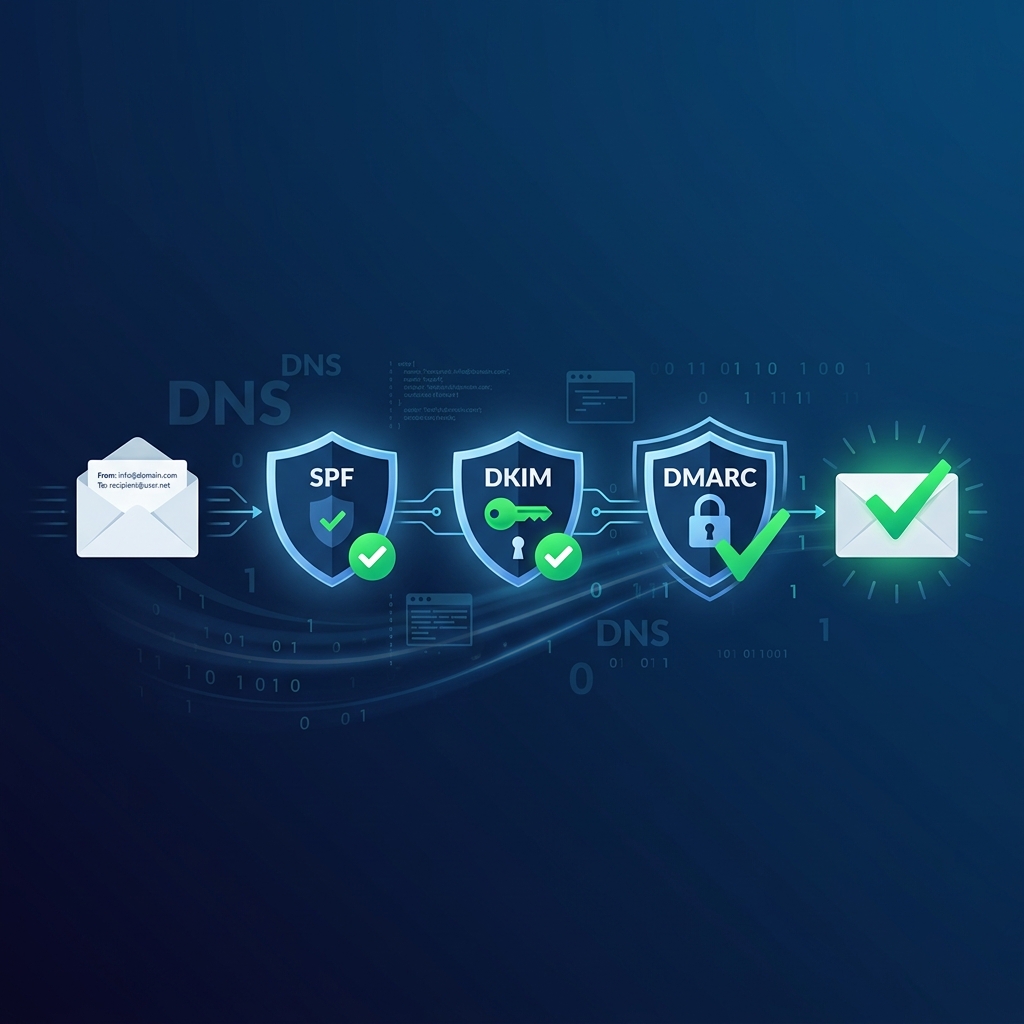
SPF, DKIM, and DMARC are three DNS-based email authentication protocols that work together to verify your emails are legitimate. Without them, your emails are far more likely to land in spam — or be rejected entirely.
This guide walks you through setting up all three correctly, with real commands and DNS record examples you can copy and paste.
Quick Setup Checklist
- ✅ Create an SPF TXT record listing authorized sending IPs
- ✅ Generate DKIM keys and publish the public key in DNS
- ✅ Add a DMARC TXT record with a policy and reporting address
- ✅ Test all three with MXToolbox
- ✅ Monitor DMARC reports for alignment failures
What Are SPF, DKIM, and DMARC?
SPF (Sender Policy Framework)
SPF defines which servers are allowed to send email for your domain. It's a TXT record in your DNS zone that lists authorized IP addresses and includes for third-party services.
DKIM (DomainKeys Identified Mail)
DKIM adds a digital signature to every outgoing email. The receiving server uses a public key (published in your DNS) to verify the signature and confirm the email wasn't modified in transit.
DMARC (Domain-based Message Authentication, Reporting & Conformance)
DMARC tells receiving servers what to do when SPF or DKIM fails. It also generates reports so you can monitor authentication results.
Step-by-Step Setup
Step 1: Configure SPF
Add a single TXT record to your domain's DNS zone:
Type: TXT
Host: @ (or yourdomain.com)
Value: v=spf1 ip4:YOUR_SERVER_IP include:_spf.google.com ~all
Important rules:
- Only ONE SPF record per domain — merge if you have multiple
- Use
~all(soft fail) or-all(hard fail), never+all - Add
include:for each third-party service (Google, SendGrid, etc.)
Verify your SPF record:
dig TXT yourdomain.com +short | grep spfStep 2: Configure DKIM
On a Linux server with OpenDKIM:
# Install OpenDKIM
sudo apt install opendkim opendkim-tools -y

# Generate key pair
sudo opendkim-genkey -s default -d yourdomain.com -D /etc/opendkim/keys/

# View the public key to add to DNS
cat /etc/opendkim/keys/default.txt
Add the public key as a TXT record:
Type: TXT
Host: default._domainkey
Value: v=DKIM1; k=rsa; p=MIIBIjANBgkqh...
Configure OpenDKIM in /etc/opendkim.conf:
Domain                  yourdomain.com
KeyFile                 /etc/opendkim/keys/default.private
Selector                default
Socket                  inet:8891@localhost
Restart the service:
sudo systemctl restart opendkim
sudo systemctl restart postfix
Step 3: Configure DMARC
Add a TXT record to your DNS:
Type: TXT
Host: _dmarc
Value: v=DMARC1; p=none; rua=mailto:dmarc-reports@yourdomain.com; ruf=mailto:dmarc-forensic@yourdomain.com; pct=100; adkim=r; aspf=r
Policy options:
p=none— Monitor only (start here)p=quarantine— Send failures to spamp=reject— Block failures entirely (most secure)
Verify Everything Works
# Check SPF
dig TXT yourdomain.com +short

# Check DKIM
dig TXT default._domainkey.yourdomain.com +short

# Check DMARC
dig TXT _dmarc.yourdomain.com +short
Send a test email to mail-tester.com and aim for a 9/10 or higher score.
Common Mistakes
- Multiple SPF records: DNS allows only one SPF TXT record. Having two breaks both.
- Wrong DKIM selector: The selector in DNS must match the one your mail server uses.
- DMARC before SPF/DKIM: Set up SPF and DKIM first, then add DMARC. Otherwise all emails fail.
- Jumping to
p=reject: Start withp=none, analyze reports, then tighten the policy. - Forgetting third-party senders: If you use services like Mailchimp, add their SPF includes too.
🚀 Need Help With Email Deliverability?
QIW Host can configure SPF, DKIM, DMARC, PTR and SMTP correctly on your server — so your emails land in the inbox, not the spam folder.
Get Reliable Hosting →Frequently Asked Questions
Do I need all three (SPF, DKIM, DMARC)?
Yes. Major providers like Gmail and Yahoo now require all three for bulk senders. Even for small senders, having all three dramatically improves inbox placement.
How long do DNS changes take to propagate?
Typically 1-4 hours, but can take up to 48 hours. Check propagation with dig or dnschecker.org.
Can I use DMARC without DKIM?
Technically yes, but it's not recommended. DMARC works best when both SPF and DKIM pass and are aligned with the From domain.
What do DMARC reports look like?
They're XML files sent to the rua email address. Use free tools like DMARCIAN or EasyDMARC to parse them into readable dashboards.